
New Apple Vision Pro Game Turns Your Room Into a Cave
Cueva de las Manos turns your hand shadows into tools for solving painted physics puzzles.
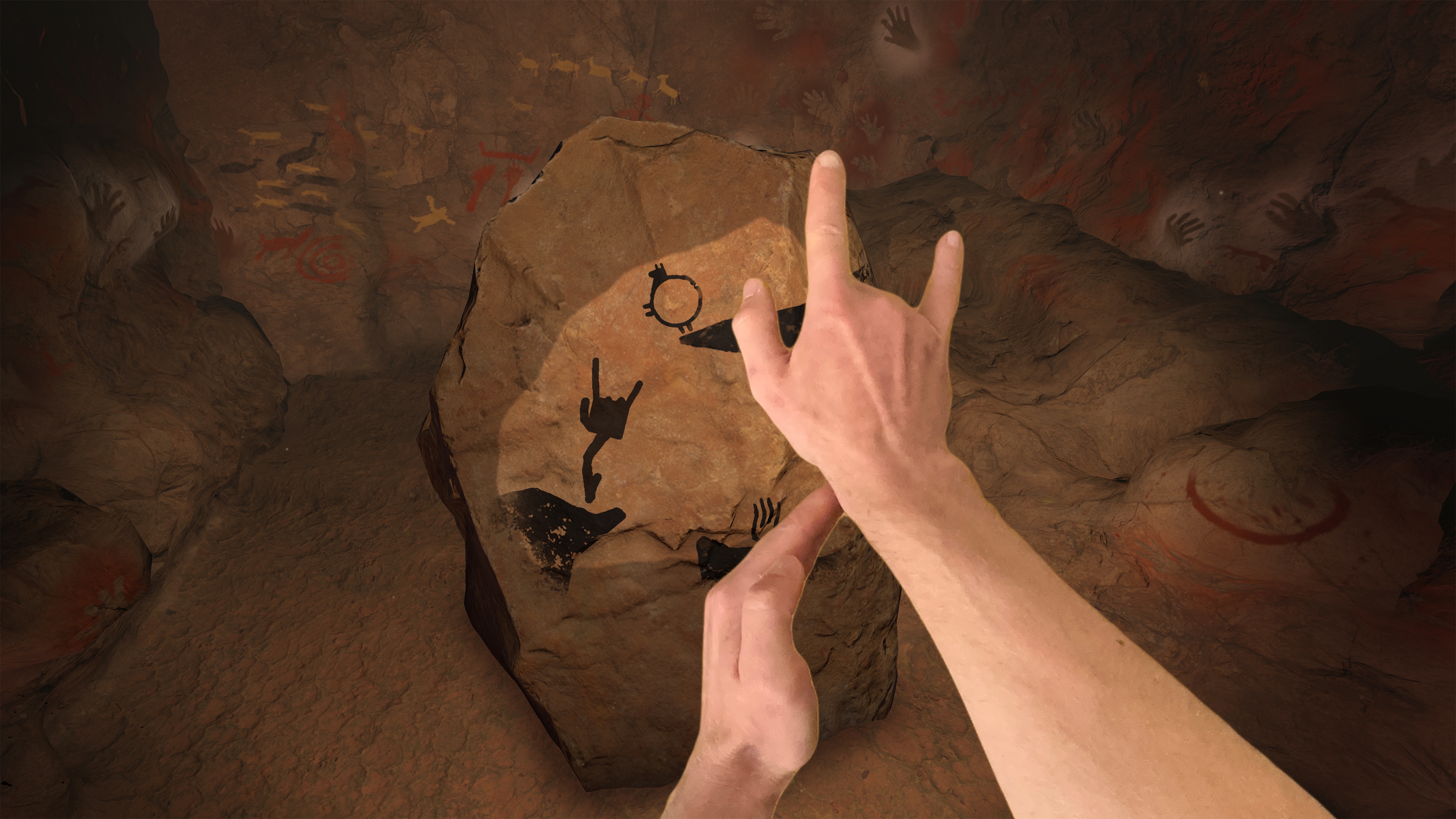
Cueva de las Manos (opens in a new tab) launches August 12 as a new Vision Pro puzzle game that uses the shape of your room and the shadow of your hands to build its puzzles around you.
Instead of placing a game board inside a floating window, it wraps stone walls around your furniture. The paintings on those walls then come alive when your shadow touches them.
Your room becomes the cave
The game begins with a short walk around a rock in the middle of your space. That movement gives Vision Pro more angles to scan the room.
Cueva de las Manos uses the world mesh, Vision Pro’s 3D map of nearby walls, furniture, and other surfaces. It covers that map with rock, so a table can become a formation and a hanging lamp can become a stalactite.
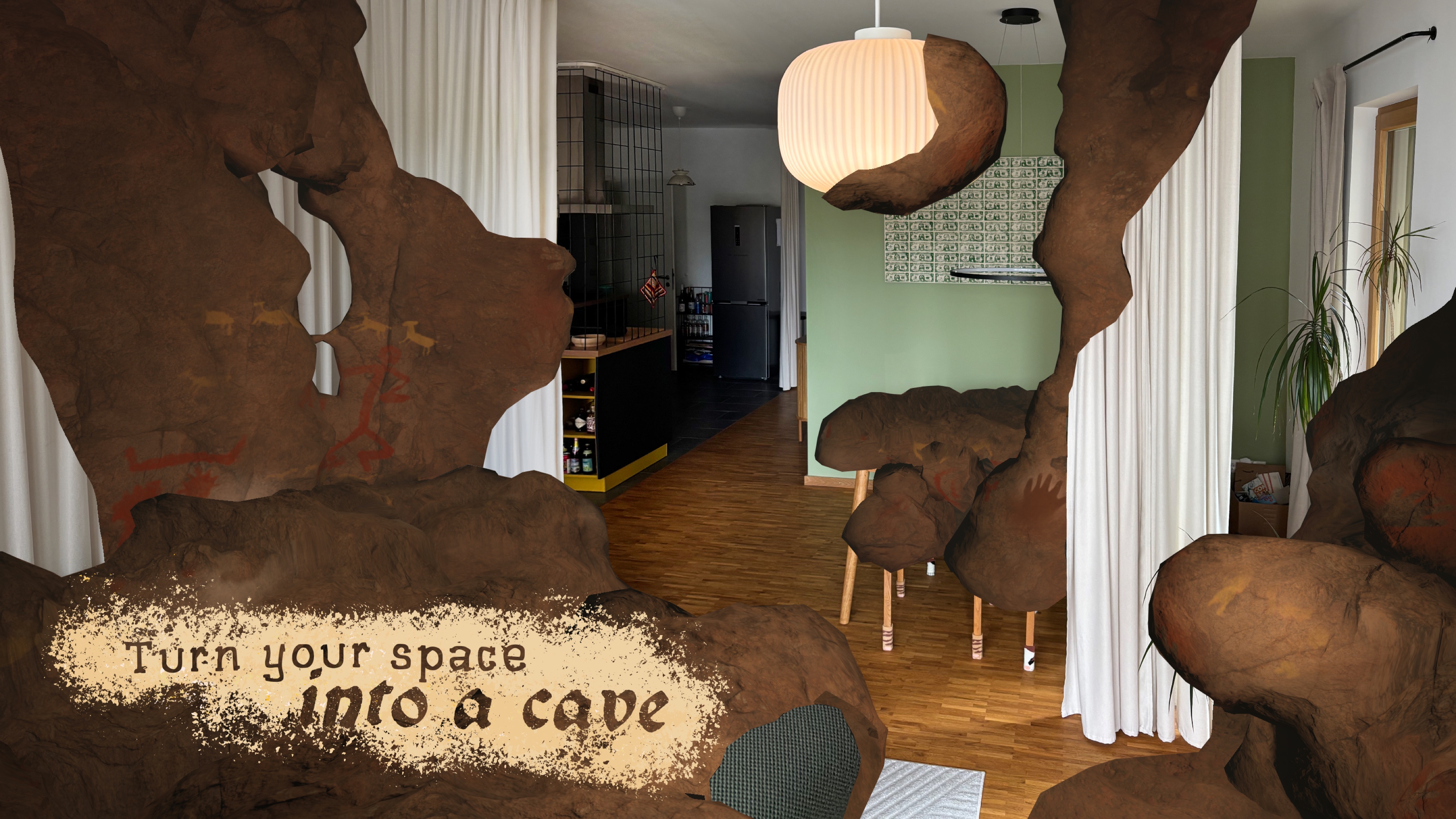
The walk is part setup and part entrance. Circle the rock in one direction and the cave appears. Walk the other way and you can leave it.
A smaller space should still work. Stollenmayer says the central rock automatically flattens when there is not enough room to walk behind it.
Your hands finish the paintings
Each puzzle starts as a still scene painted on the rock. Hold your hand between the scene and its light, and yellow dust gathers around the shadow. The shadow then becomes a solid object with weight inside the puzzle.
That lets your hands act like hooks, bridges, dominoes, and catapults. The examples shown before launch include pushing cattle toward a fire, turning a horse upright, and sending a chicken across the scene.
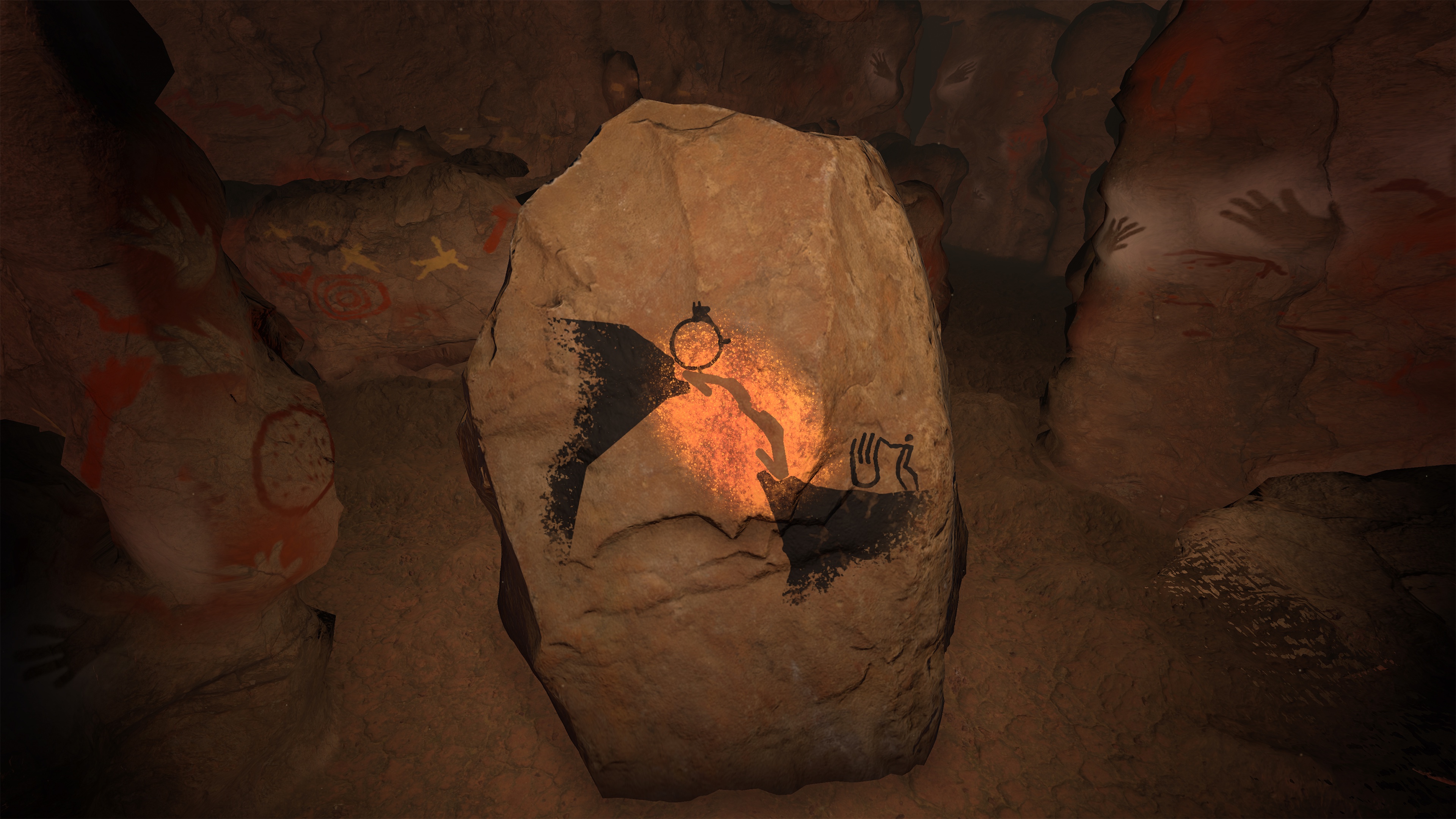
The launch version also includes a one-hand mode. It turns on automatically until the game sees a second hand.
A real cave sits behind the game
The name means Cave of the Hands. It comes from the Cueva de las Manos World Heritage Site in Patagonia, Argentina.
According to UNESCO (opens in a new tab), the site holds layers of prehistoric art made across thousands of years. Its earliest works reach back about 13,000 years. The walls include stenciled hands, guanacos, and hunting scenes made with natural mineral pigments.
Stollenmayer says the virtual drawings closely follow the originals. Players can also place a hand over the old stencils to learn about the real cave.
The Stone Age people used stone dust to summon virtual spirits, while today we use pixels.
Philipp Stollenmayer
Cueva de las Manos costs $2.99 and requires visionOS 26.4 or later. The 329.4 MB download supports English, French, German, Italian, and Spanish.
By making your room the cave and your shadow the controller, it shows what a game built only for Vision Pro can do with the real space around you.
More from Apple Vision Pro.
Browse all stories
Mac Apps · 2 min read
VisionDesk Brings Up to Five Mac Displays to Vision Pro
Start with one screen for free, then use the latest update’s Watch mode and customizable widgets to shape your workspace.

Vision Pro · 2 min read
Apple Is Exploring Four Vision Pro Redesigns, Gurman Reports
The N224 project could move computing hardware off the headset to reduce weight, but Apple reportedly has yet to settle on a design.

Medical Imaging · 1 min read
Medivis Viewer Adds Object Tracking for 3D Medical Scans on Vision Pro
The update brings a more hands-on way to explore anatomy, with potential for teaching and explaining complex medical scans.