
Grok Bot’s iOS App Runs on Apple Vision Pro
Grok Bot’s cloud agents can work across apps, learn routines, and keep going after you step away.

The Grok Bot iPhone app (opens in a new tab) installs on Apple Vision Pro with visionOS 2.0 or later.
I downloaded it and opened it in a Vision Pro window. I’m going to see whether Grok Bot is worth the $259.99-a-month Ultra subscription before diving all the way in.
What Grok Bot can do
SpaceXAI describes Grok Bot (opens in a new tab) as an AI teammate with its own computer in the cloud.
You send it a job in a message. SpaceXAI says it can sign into apps and websites, work across several tools, and come back when it needs your approval.
Grok Bot can also work inside apps that do not offer a direct connection for AI tools.
The company says its own teams use Bots to update customer records, prepare email follow-ups, process invoices, reproduce bugs, and hand fixes to another Bot.
You can also put several Bots on the same job. They share context, hand off work, and join one group chat with a lead Bot coordinating the rest.
Show it once, then hand it off
A Bot can watch you do a job once, save the steps, and repeat it later. It also remembers your corrections, earlier conversations, and how you like the work done.
Early users put it to work
The first examples come from early users, so treat them as personal accounts rather than independent tests.
Danny Limanseta also used Grok Bot for playtesting, Figma work, and finding old subscriptions. He says playtesting started slowly, and the Bot missed some newsletters.
Mike Gonzalez says he controlled an agent’s computer from his phone and used Grok Bot on a side project with more than 222 merged pull requests.
How to try Grok Bot on Vision Pro
Download the Grok Bot iPhone app from the Vision Pro App Store and sign in with an eligible account. The beta currently requires SuperGrok Heavy, Cursor Ultra, or Cursor Teams Premium. Enterprise customers can join a waitlist.
This could be an awesome fit for Vision Pro. Start a job while wearing it, step away, and let Grok Bot keep working until it needs you. That is the part I want to try.
More from Apple Vision Pro.
Browse all stories
Spatial AI · 2 min read
AMD to Buy World Labs for $8.2 Billion
Fei-Fei Li will become AMD’s chief scientist, bringing the team behind Marble and Atlas closer to the chips that power its research.

Vision Pro · 2 min read
Apple Is Exploring Four Vision Pro Redesigns, Gurman Reports
The N224 project could move computing hardware off the headset to reduce weight, but Apple reportedly has yet to settle on a design.
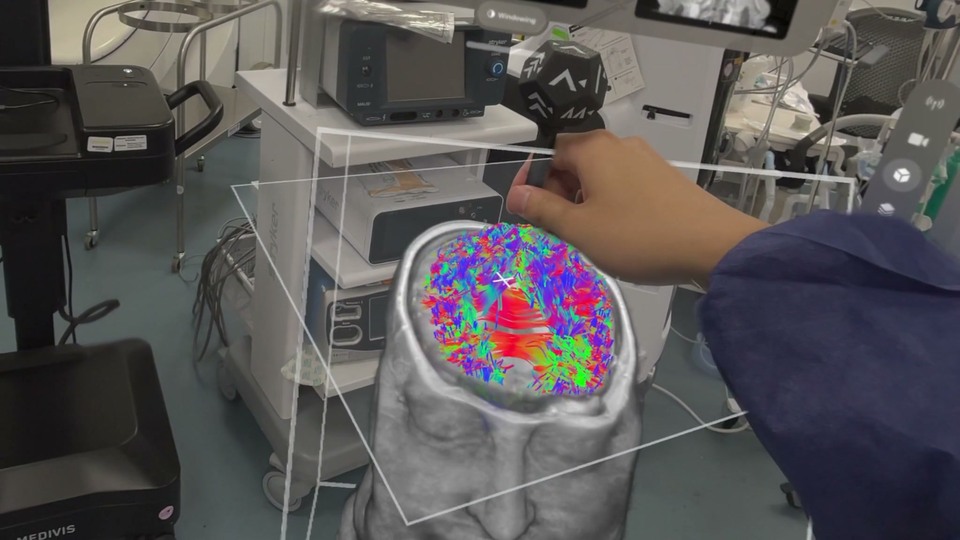
Medical Imaging · 1 min read
Medivis Viewer Adds Object Tracking for 3D Medical Scans on Vision Pro
The update brings a more hands-on way to explore anatomy, with potential for teaching and explaining complex medical scans.