
XGRIDS Turns Your iPhone Into a 3D Spatial Camera
The LCC Scan app builds explorable 3D scenes right on your iPhone, without a cloud upload or server queue.
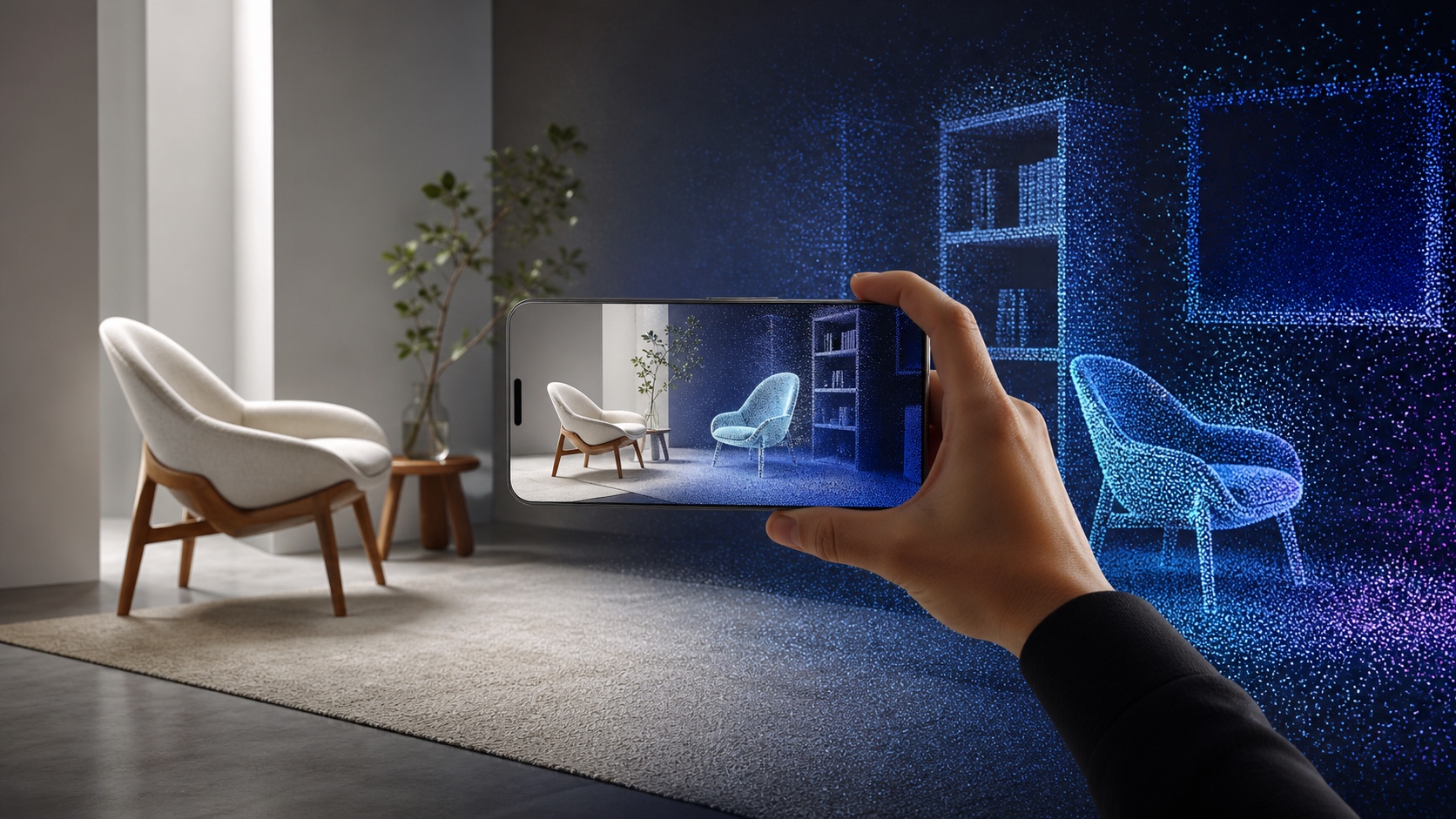
Walk around a chair with your iPhone. LCC Scan turns that short loop into a 3D scene you can spin, zoom, and explore from new angles.
That is a big change for XGRIDS. Until now, LCC Scan mainly controlled the company's dedicated 3D cameras. Version 2.0 lets the phone do the capturing and building on its own.
The new phone scan is available now in the free LCC Scan app (opens in a new tab). It is still labeled beta.
Three scanning modes
The app gives you three paths. Object mode is for something like a toy or chair. Portrait mode captures a person. Free Space mode is for a small part of a room. Guides on the screen show where to move and which views you may have missed.
XGRIDS says a simple scan can take about one minute, followed by about two minutes of processing. Spatial Insider has not tested that timing or the final image quality yet.
Processing happens on the phone
The finished scene is a 3D Gaussian splat. Think of it as many soft points of color that blend into a solid-looking place as you move around it.
LCC Scan builds that scene on the phone. There is no upload or server queue before the first preview, and the model still works offline. You can check the result right away and save an orbit video.
Sharing and export are separate steps. LCC Scan can make a web link for an interactive model. XGRIDS says creators can also send a scan through LCC Cloud to export PLY or LCC2 files for other 3D tools.
Phone scanning needs an iPhone 13 or later, or a fifth-generation iPad Air or later, with iOS 17 or newer. XGRIDS says an Android version is planned, but it has not shared a date.
Scan and review on one device
Phone-based 3D scanning is not new. The useful shift is that capture, building, and the first check now happen on one device.
That could make 3D capture feel less like a project and more like taking a photo. Scan a room, check it before you leave, and fill any gaps while you are still standing there.
More from Capture & Create.
Browse all stories
World models · 2 min read
World Labs Rolls Out Beta Access to Its Atlas AI World Builder
Creators can build 3D scenes from reference images, set precise camera paths, and reuse generated views to extend a world.

3D capture · 2 min read
Gracia Says Its New AI Creates 3D Replays With as Few as Four Cameras
The World Reconstruction Model promises near real-time sports replays, with broader uses in film effects, 4D capture, and robot training.
Blockworks · 2 min read
Blockworks Turns Your Words Into Builds with AI on Apple Vision Pro
A new AI demo makes a boat, a bicycle picture, and a statue from virtual blocks you can pick up and take apart.