
Intangible’s Browser-Based 3D Studio Gains Gaussian Splat Support
The update lets creators place scans of real places beside other 3D objects and move a camera through the scene.
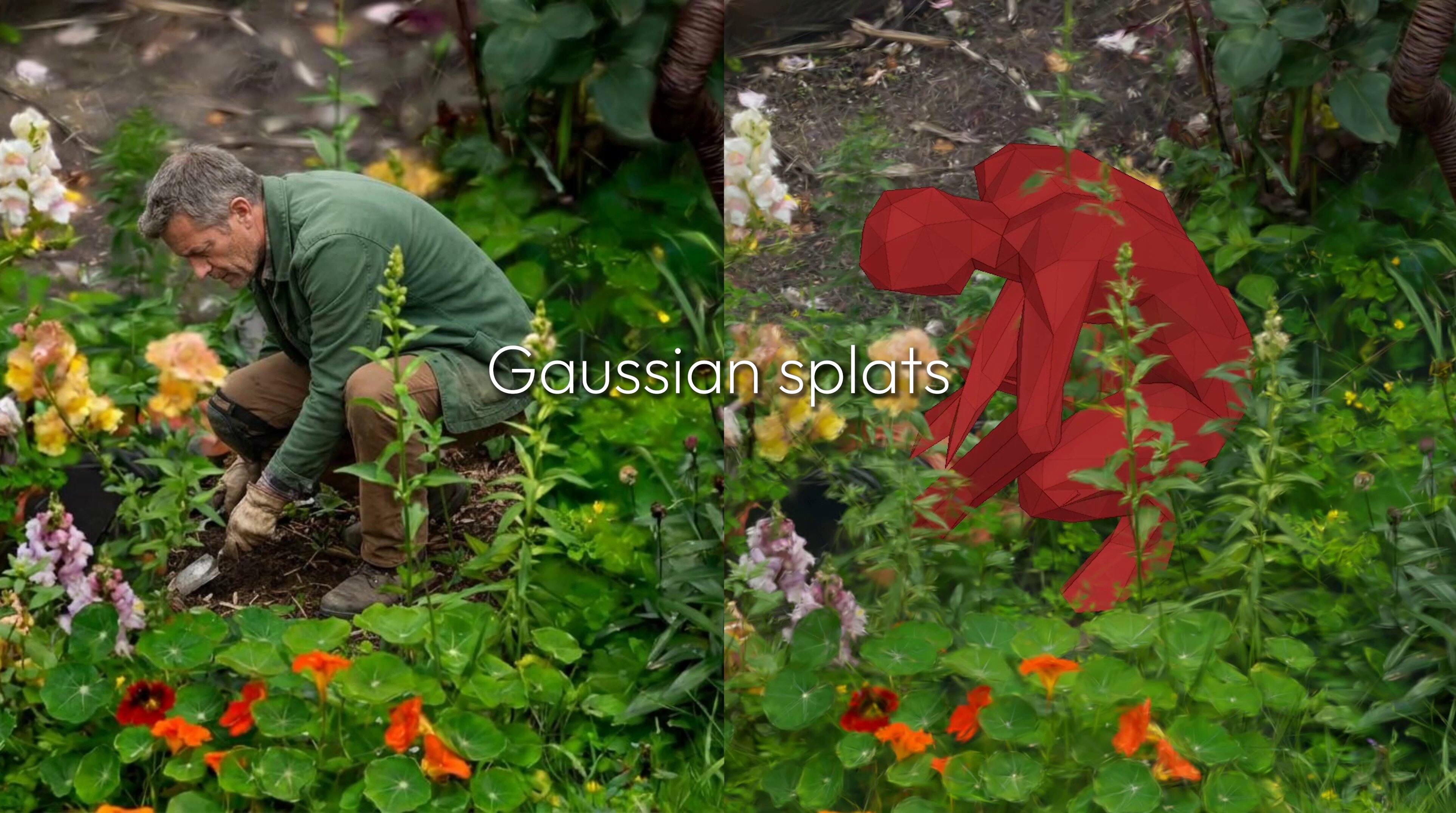
Intangible has added support for Gaussian splats to its browser-based 3D studio. The update lets users place scans of real places beside other 3D objects.
Intangible is a 3D tool for creative teams. It runs in a web browser. Users can build sets, place cameras, animate scenes, and turn them into images or videos with AI.
The company announced the feature in a two-minute video posted on X on August 11. The demo shows a scanned garden, a separate scan of tomatoes, and a simple building model.
A Gaussian splat turns photos or video into a 3D view of a real place. It keeps much of the color and light from the source. Users can then move around the scene and view it from different angles.
Intangible lets users add a splat to a larger 3D project. In the demo, a simple building model sits inside a wide outdoor scan. A creator can study its size, move the camera, and show the idea before making the full set by hand.
Intangible is in open beta, and you can try Intangible Studio for free (opens in a new tab) in a browser.
More from Capture & Create.
Browse all stories
Spatial AI · 2 min read
AMD to Buy World Labs for $8.2 Billion
Fei-Fei Li will become AMD’s chief scientist, bringing the team behind Marble and Atlas closer to the chips that power its research.

Immersive cinema · 1 min read
Immersive Warsaw brings filmmakers and creators together on November 5
The in-person event at Kinoteka pairs Apple Vision Pro screenings with filmmaker talks, networking, and an up-close look at Blackmagic’s URSA Cine Immersive camera.
Robotics · 2 min read
Niantic Launches 100 Real-World Scenes for Robot Training
The Places Library pairs detailed 3D scenes with physical surfaces for simulation, with free samples of a London street and a New Jersey warehouse.