
DFRobot Launches seeMote Cap, Its Latest Vision Pro Accessory
The new tool-mounted tracker joins seeMote Cube, expanding DFRobot’s spatial accessory lineup for developers building training, simulation, and hands-on learning apps.
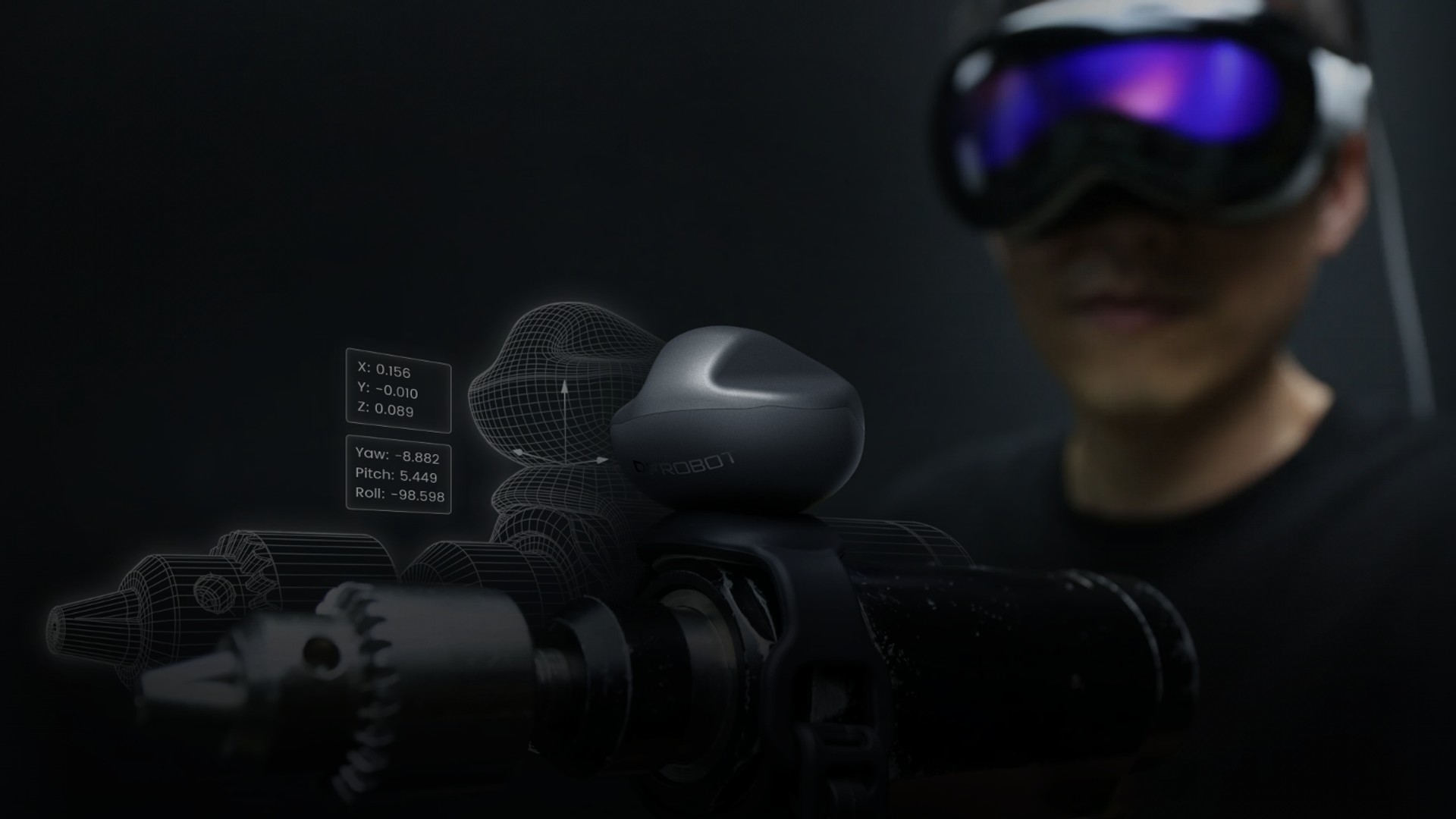
DFRobot has launched preorders for seeMote Cap (opens in a new tab), its latest spatial accessory for Apple Vision Pro. The $229 tracker attaches to physical tools and objects, letting compatible visionOS apps follow their position and movement.
Cap joins seeMote Cube in DFRobot’s spatial accessory lineup, but takes a different approach. Cube is held in the hand as a controller. Cap mounts onto an existing tool, letting developers build an experience around the object someone already knows how to use.
DFRobot’s launch demonstration puts that idea into a training simulation, with Cap mounted on an orthopedic drill so its position and angle can be represented inside visionOS.
How it tracks a tool
Cap tracks six degrees of freedom, or 6DoF. That means an app can follow both where the object moves and how it turns. Cap requires visionOS 27 and uses Apple’s Spatial Accessory API to share tracking data with compatible apps.
The 35-gram module measures 45 × 45 × 32 millimeters. It connects over Bluetooth, has two programmable buttons, and recharges through USB-C. A threaded mount underneath accepts a compatible screw or adapter; the setup guide also describes using a strap to secure it to an existing tool.
Mounting affects tracking. DFRobot specifies 270-degree coverage, with a blind spot underneath. Its instructions say the infrared tracking points must stay visible to Vision Pro as the tool moves, without being blocked by a hand, the tool, or its mount.
Built for developers
This is hardware for building a compatible experience. Attaching Cap to an object does not automatically add tool support to every Vision Pro app.
DFRobot provides developer resources (opens in a new tab), including tracking configuration files, 3D models, and the source code for its seeMoteViewer Cap sample app. The setup guide walks developers through opening the project in Xcode on a Mac and running it on Vision Pro with Developer Mode enabled.
Price and shipping
Preorders opened September 14. The $229 package includes one seeMote Cap, a USB-C cable, and a quick-start guide.
DFRobot’s store currently estimates late September shipping for non-U.S. orders and early November from its U.S. warehouse. U.S. buyers can request late September dispatch from China, but the company says import charges would be payable by the recipient.
Developers can already explore the sample project and mounting instructions to plan an app around the tool they want to track.
More from Apple Vision Pro.
Browse all stories
Apple Vision Pro · 3 min read
Enviz Lets You Explore Your Future Home on Apple Vision Pro
Architects and builders can turn 3D models into shared Enviz spaces that clients can revisit on a phone, tablet, or web browser.

Apple Immersive · 1 min read
Red Bull’s Immersive Surfing Film Arrives on Vision Pro October 1
Big Wave Surfing follows 10 elite surfers at Teahupoʻo, Tahiti, in the next episode of the Emmy-winning World of Red Bull series.
Creator Tools · 2 min read
Reality Composer Pro Preview Is Now Available for Vision Pro
Apple’s Preview companion app lets creators edit on a Mac and check materials, animation, and layout live inside the headset.