
DFRobot’s seeMote Cube is now available for Apple Vision Pro.
The new spatial accessory brings full motion tracking, six real buttons, and touch feedback to supported apps.
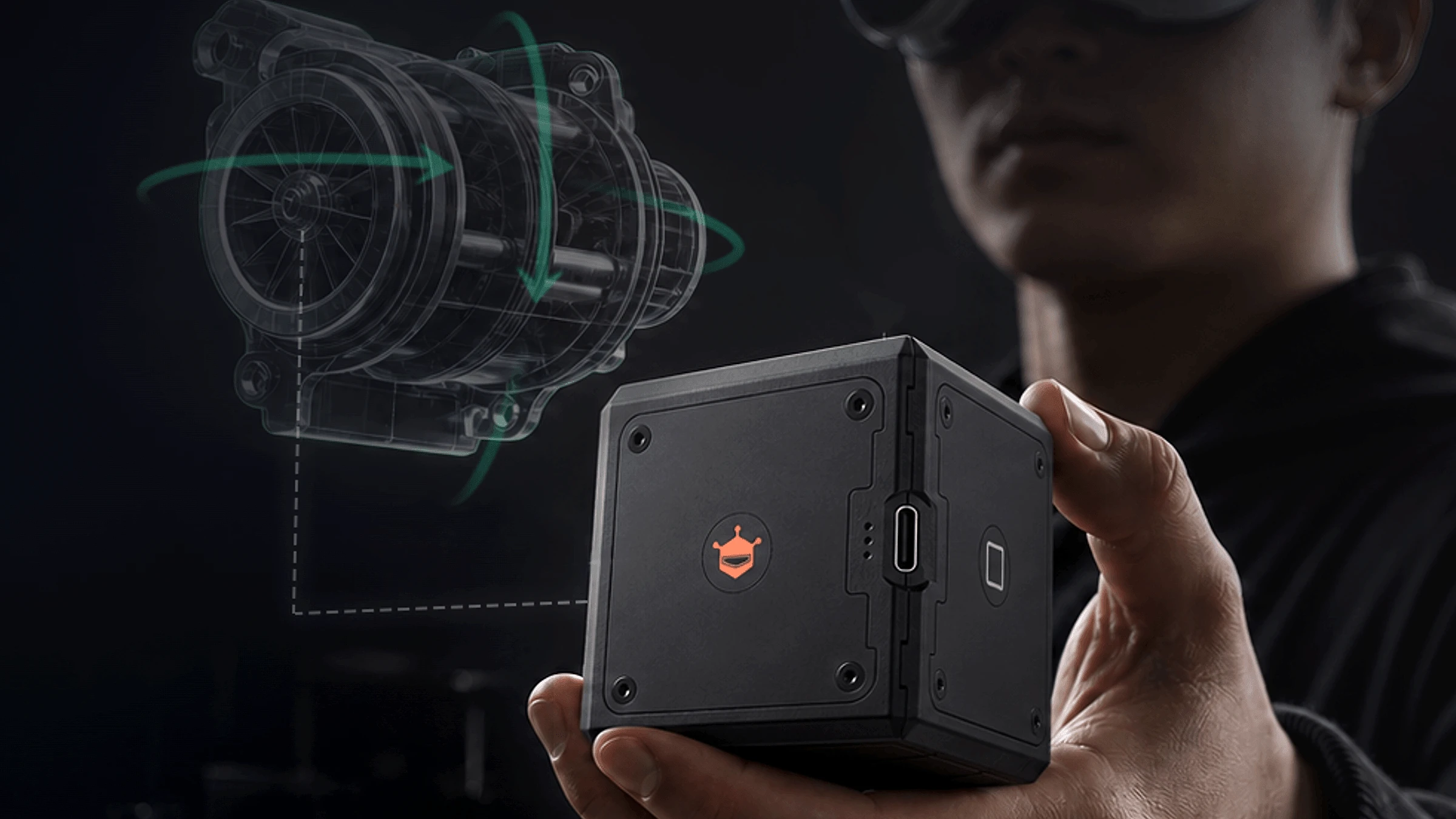
Vision Pro can follow where the seeMote Cube moves and which way it turns. An app can read its six buttons, then send a vibration back to the user’s hand.
Hold a piece of the app
Vision Pro already uses eyes and hands for most controls. The Cube adds one solid object a person can grip, feel, and press without looking. It can also give touch feedback when an action works.
The Cube joins two spatial accessories Apple already supports. Logitech Muse (opens in a new tab) is a pencil-shaped tool for precise drawing and creative work. It can tell how hard it is pressed and send touch feedback to the user’s hand. Logitech is a Spatial Insider partner.
PlayStation VR2 Sense controllers (opens in a new tab) are made for games. They add buttons, joysticks, triggers, finger touch detection, vibration, and full 3D tracking.
seeMote Cube sits between those ideas. It has game-like buttons, but its single handheld shape can also become a tool inside work and training apps.
DFRobot calls this 6DoF tracking. In plain words, Vision Pro follows the Cube as it moves up, down, left, right, forward, backward, and turns in space.
The Cube fits in one hand. Infrared lights help Vision Pro track it from every side. DFRobot says the tracking works from bright rooms to dark spaces without extra lights.
Why it works now
visionOS 27 is the bigger change behind the Cube. Apple now lets companies build their own spatial accessories for Vision Pro.
Apple says these devices can be tracked up to 90 times each second. That helps a digital tool stay locked to the Cube as it moves. Tracking can also continue through fast movement, low light, and short moments when the headset cannot see every tracking light.
DFRobot includes sample code, setup files, and a guide for connecting the Cube.
Built for work first
DFRobot shows the Cube guiding an inspection, placing points along a robot path, and moving through layers of a large 3D model. These are examples developers could build, not finished apps included with the device.
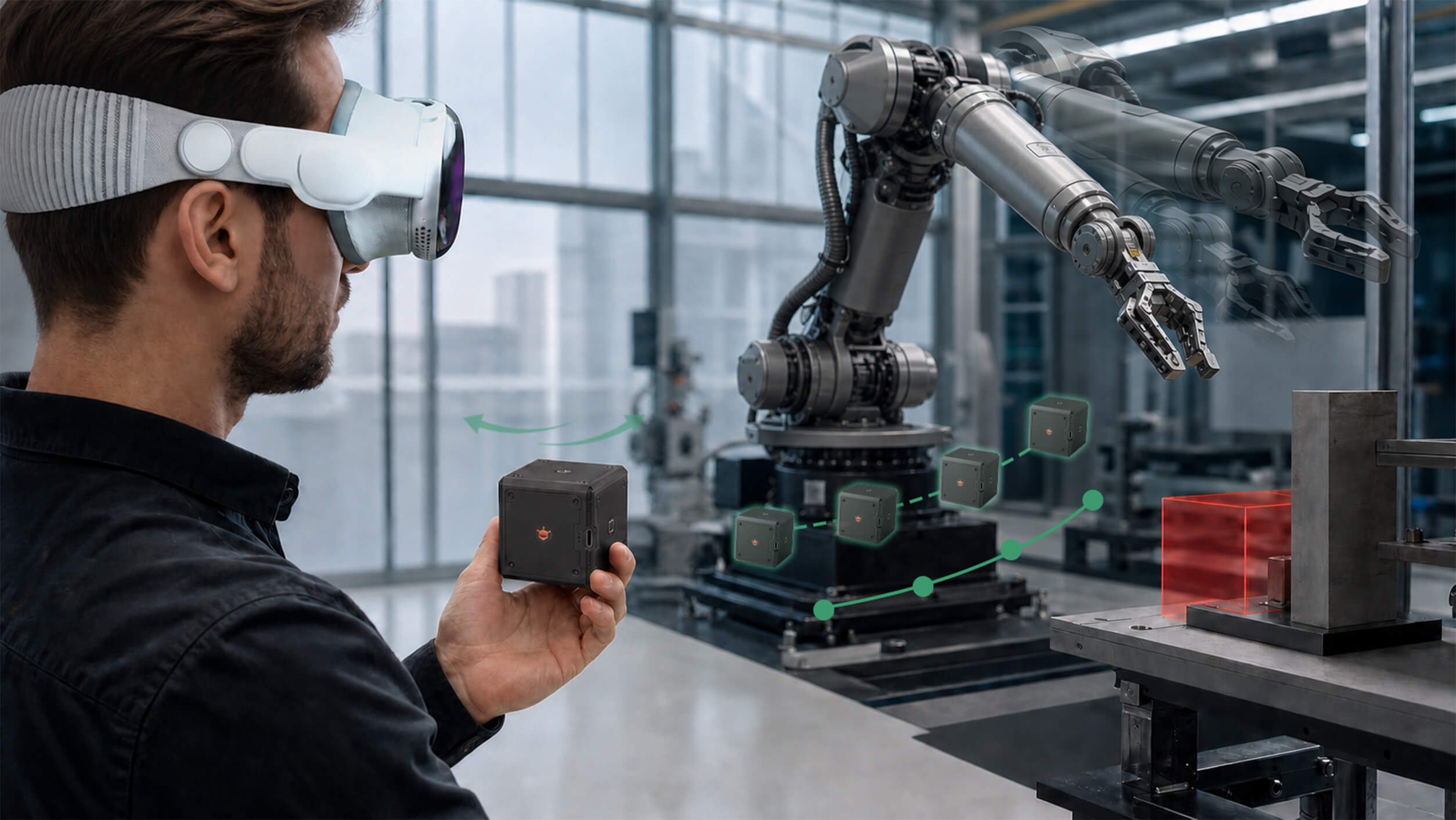
The same controls could fit a training app. A button could confirm a step. A vibration could warn someone about an error. Moving the Cube could turn a digital tool or object.
Give spatial work something real
Not every app needs a Cube. It is aimed at jobs where a firm grip, a real button, or a response you can feel can make the task clearer.
visionOS 27 gives developers a way to build that physical layer into Vision Pro. The digital tool can stay inside the app while part of it rests in the user’s hand.
How to get one
To use it, you’ll need an Apple Vision Pro running visionOS 27 and an app built to support spatial accessories. The Cube will not control every Vision Pro app out of the box.
The seeMote Cube is available now for $299 from DFRobot (opens in a new tab).
More from Apple Vision Pro.
Browse all stories
visionOS · 1 min read
Apple Shares 3D-Printable Files for Tracking Objects With Vision Pro
Developers can 3D-print Apple’s marker and use the supplied tracking file to connect physical objects to their Vision Pro apps.
Apple Immersive Video · 1 min read
Gucci Brings Its Times Square Runway Show to Apple Vision Pro
GucciCore is now available in Apple Immersive Video, filmed with Blackmagic’s URSA Cine Immersive cameras for a 180-degree view of the runway.

Apple Immersive · 2 min read
Apple Plans Immersive Video Creator Event in Cupertino on November 11
Creators can preview live production in Apple Immersive, explore new workflows with Apple experts, and join in person or online.